


User Guide
Step 1
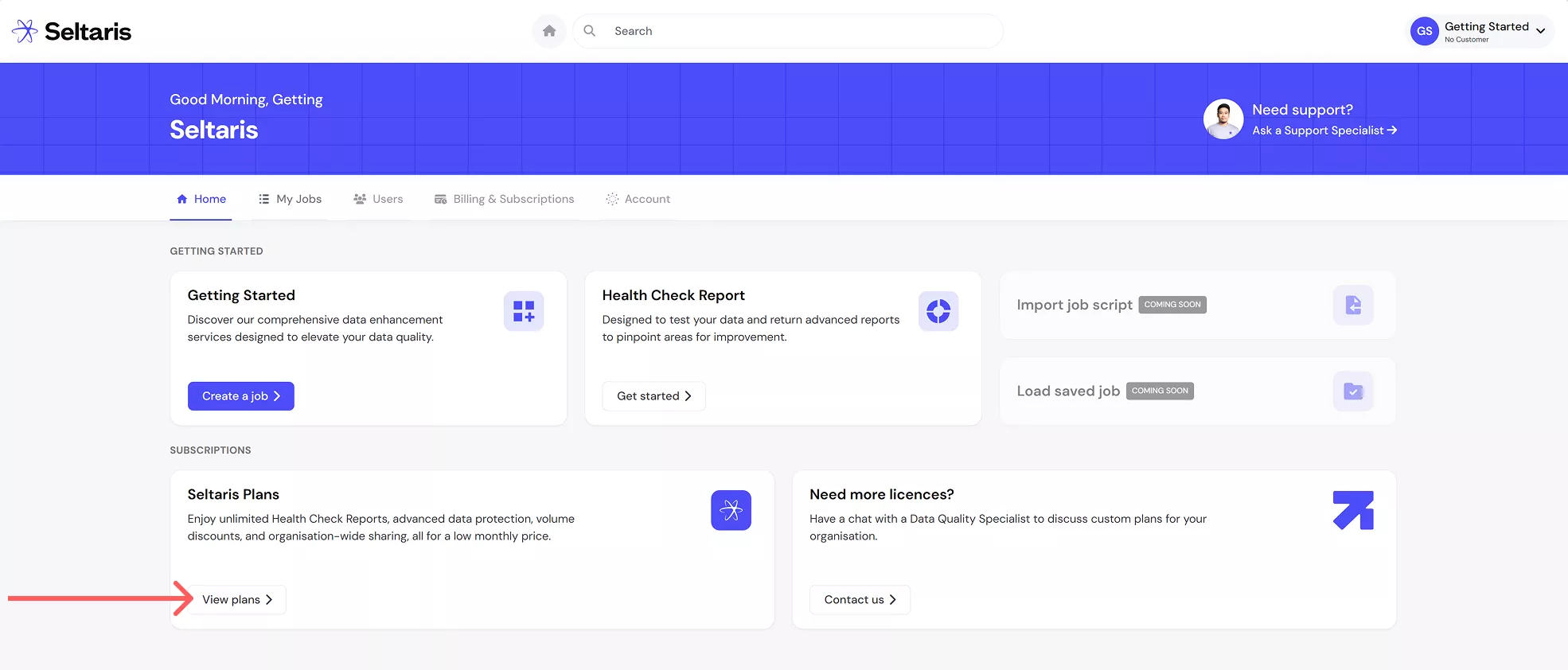
After creating an account or signing in, click on View plans to view the Seltaris+ plans.
Step 2
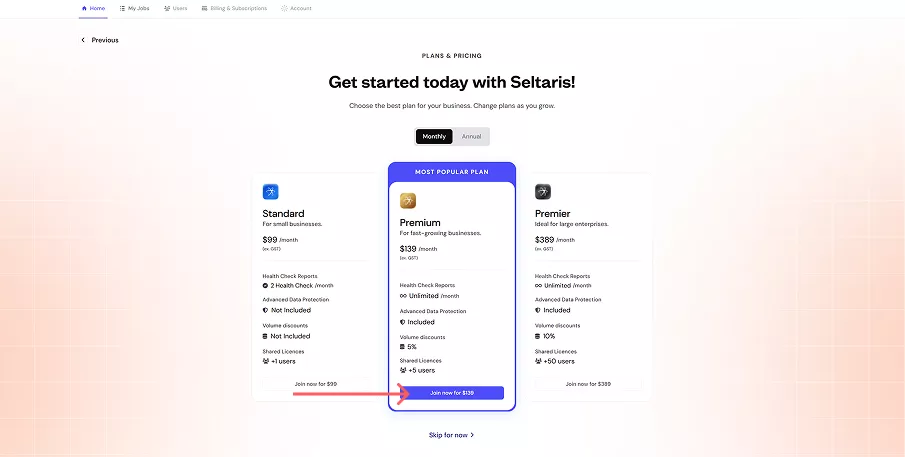
Click Join now on the plan you would like. For this example we will use the Premium plan.
Step 3
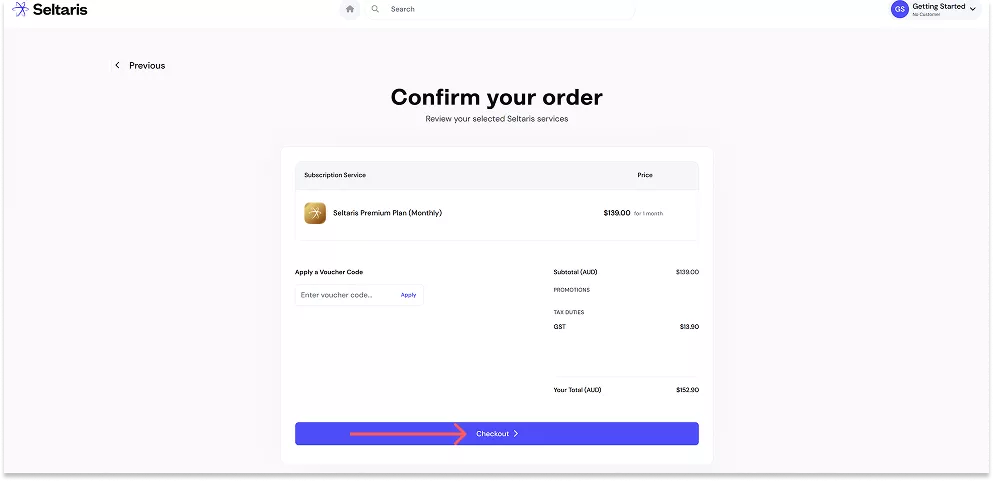
Confirm your order details, then click Checkout.
Step 4
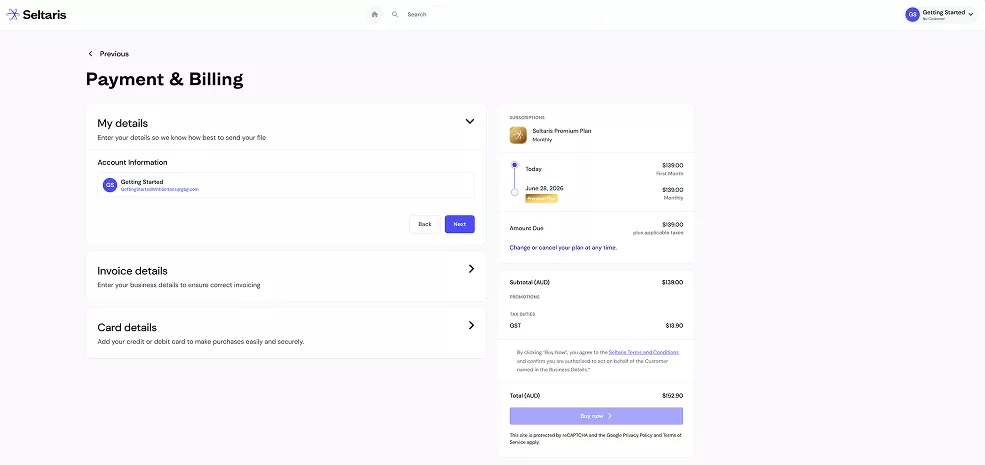
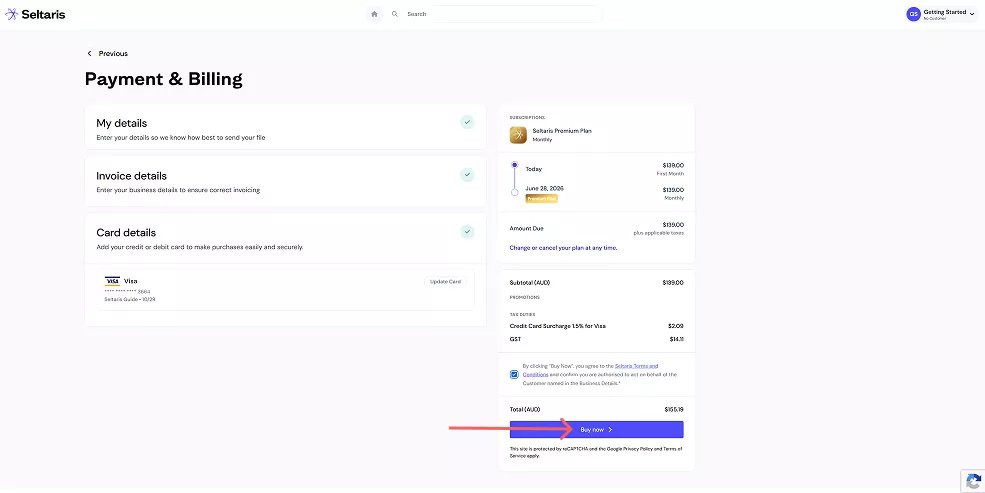
Enter your Payment & Billing details as prompted.
Step 5
Once your details are filled in, a green tick will appear.
Review the Seltaris Terms and Conditions and confirm you have read them. Then, review your total and press Buy Now.
Step 6
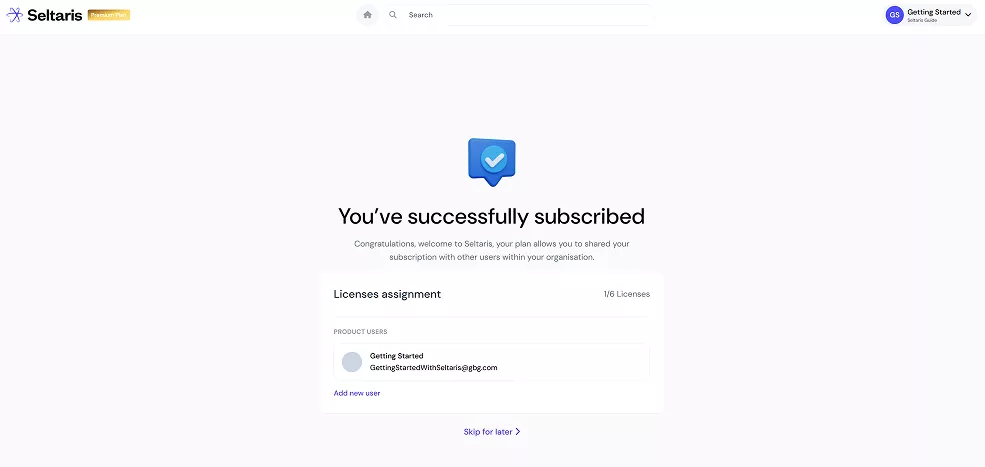
You are now subscribed to Seltaris+.
To share your plan with someone in your organisation, click Add New User and follow the
Getting Started: How To Share a Plan.
To share your plan with someone in your organisation, click Add New User and follow the
Getting Started: How To Share a Plan.
Step 7
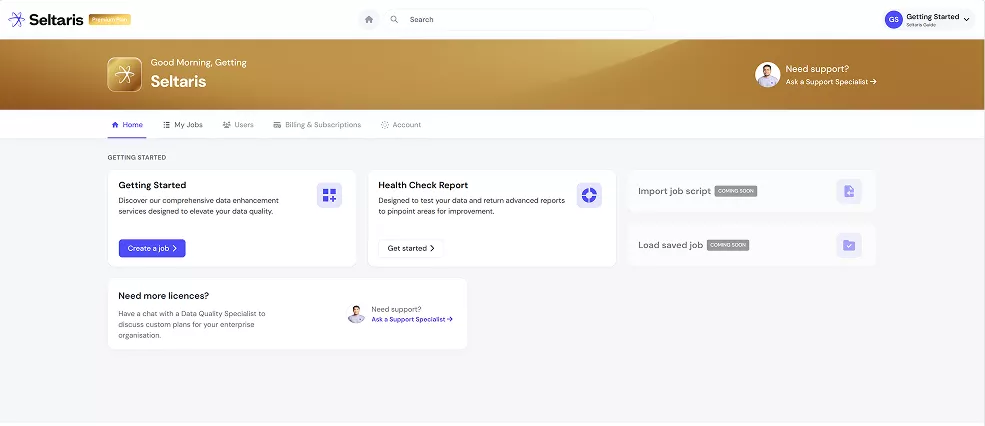
If you click Skip for Later or press the Home icon on the previous screen, you’ll be taken to the dashboard.
From here, you can start using your plan perks and begin creating Jobs or Health Check Reports. Our Getting Started Guides can help with this.
End